CareOn Platform

Where AIOps and AISecOps run. CareOnBox discovers your network; AI builds the monitoring templates and runs alarms through AI triage. The ticket reaches the right expert along with its priority.

L1·L2·L3single escalation path30 minfirst-response target for critical incidentsAIOpsAI triage
CareOn Platform · main dashboard

Your entire operation, on one dashboard.

Open requests, first-response times, critical alarms, unreachable devices, backup status and expiring contracts appear on a single dashboard. Tickets that need attention are highlighted automatically.
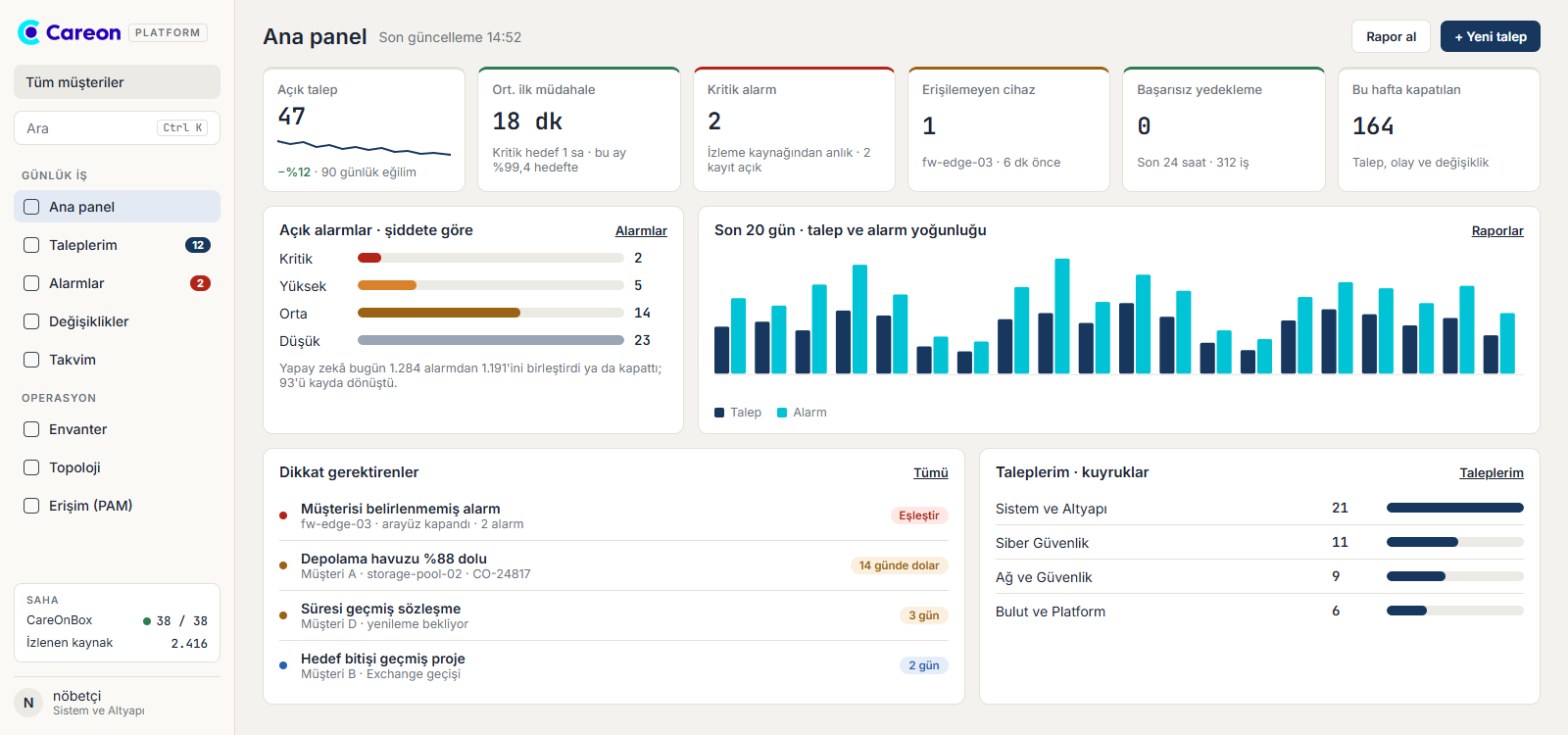
CareOn Platform main dashboard: open customer requests, average first-response time, critical alarms, unreachable devices, failed backups, alarms by severity and request and alarm volume over the last 20 days Requestsopen requests and 90-day trend Critical alarmreal-time notifications from the monitoring source Last 20 daysdaily request and alarm volume Needs attentioncontracts, projects and unmatched alarms
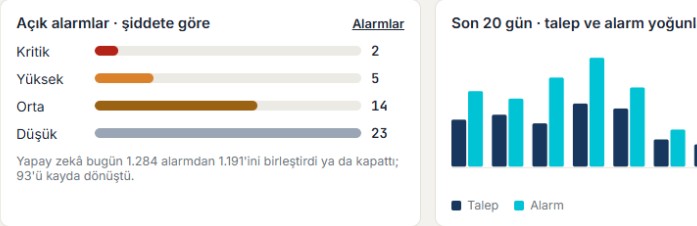
Open alarms by severity and request and alarm volume over the last 20 days
Alarms and the last 20 days at a glanceOpen alarms are shown by severity, and request and alarm volume by day.
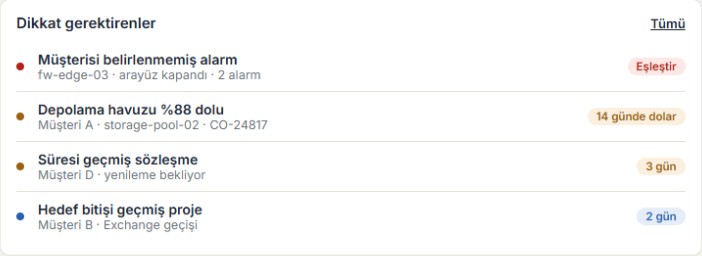
Needs-attention list: alarms with no assigned customer, expired contracts and projects past their target end date
Needs attentionAlarm, contract and project records to review today.
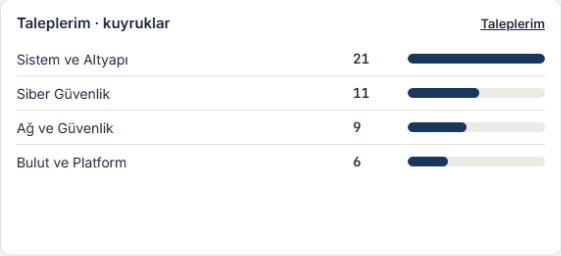
My requests: request counts by queue
My requests and queuesNetwork and security, cybersecurity, and systems and infrastructure queues at a glance.

Screenshots taken from the CareOn Platform interface, shown with sample data; no real customer information.

AIOps · AISecOps

Four practices, one operating discipline.

CareOn delivers its services with an AI-powered approach to operations and security. Monitoring, incident, change and security processes run on the same ticketing system under shared rules.

01

Monitoring

Servers, virtualization platforms, storage systems and network devices are tracked with monitoring templates built by AI.

02

Incident

AI classifies every alarm, finds similar tickets and turns it into a ticket; the first-response target is set by the ticket's priority.

03

Change

Changes are classified as standard, normal or emergency, and applied with impact and risk assessment, a rollback plan and approval.

04

Security

AISecOps groups related incidents into a single case; our analysts, working 24/7, respond according to the response authorization matrix agreed with you.

One operating discipline one ticketing system · single escalation path · L1 · L2 · L3
Every task gets the right ticket type Service requestinitiated by you Incidenttriggered by a monitoring notification or an outage Problemroot cause of repeating incidents Changestandard · normal · emergency Proactive operationsplanned activities Project requestseparate work package
Division of work

AI speeds things up; accountability stays with the expert.

What does AI do?

  • Discovers the network, builds monitoring templates
  • Classifies alarms, finds similar tickets
  • Suggests a priority, routes the ticket to the right queue
  • Matches security indicators while keeping customer data isolated

What does the expert do?

  • Confirms the priority and diagnosis
  • Responds; accountability rests with the expert
  • Applies changes after risk assessment and approval
  • Communicates with you and reports the outcome
CareOn Platform › CareOnBox

Everything starts with the CareOnBox installed at your site.

CareOnBox is the on-site component of CareOn Platform. It runs inside your network and makes only outbound connections to the center.

  • A ✕ BCustomer networks can't see each other. Each site connects to the center through its own CareOnBox.
  • HubAccess through the center (hub-and-spoke). Our teams reach your site through the center; every access is logged.
CareOn Platform › CareOnBox

CareOnBox discovers your network. AI builds the monitoring templates.

Servers, virtualization platforms, storage systems and network devices appear in the topology. AI decides which metrics to monitor and builds the monitoring templates; inventory data is sent to the Platform. Each module runs in its own container, so data stays safe on site even if the connection drops.

Topology · Customer A · CareOn Platform
CareOnBox
Connection restored · 1,284 records sent
Inventory
186devices discovered
Monitoring templates

AI selected the metrics and built the templates: 24

CareOnBox · Container
  • Monitoring agentsrunning
  • Access · hub-and-spokerunning
  • PAMrunning
  • Inventory and topologyrunning
  • Update agentsrunning
CareOn Platform · AIOps

An alarm comes in, a ticket opens, the right team takes action.

AI classifies alarms, finds similar tickets, opens a new ticket and routes it to the right work queue. Every ticket has a first-response target set by its priority.

1 · AlarmPool[B]: Space
utilization > 88%
High · monitoring
2 · AI triageStorage pool nearly fullCustomer B · 2 similar tickets
estimated time to full: 6 days
3 · TicketCO-24817Fault · priority High
First-response target 1 h
4 · QueueSystems & Infrastructureassigned to on-call engineerCritical tickets open full screen on the on-call engineer's phone · 24/7 On-Call & Response →

First-response target by priority

Critical30 min
High1 h
Normal4 h
Low8 h

The first-response clock starts when the ticket is opened and stops when the team actually begins technical investigation; it does not cover resolution time. Results are reported monthly, ticket by ticket.

How is priority set?

Following ITIL principles, business impact and urgency are assessed together. Select a cell.

Priority Critical First-response target 30 minutes Critical impact · Critical urgency
Prioritization matrix by impact and urgency
Impact \ UrgencyCriticalHighMediumLow

The Platform also tracks upcoming risks.

Capacity forecast

Storage pool at 88%

will be full within 6 days

End-of-support version

Operating system version

support ends in 63 days · 23 devices

Actively exploited vulnerability

Critical vulnerability

actively exploited · patch pending on 3 devices

CareOn Platform › CareOnBox · PAM

Just-in-time access. Every session is recorded.

Just-in-time access to your systems is granted for a limited time, with a ticket number and justification. When the time is up, access is revoked; every command run in the session is searchable in the archive.

Time-limited access request

Target
srv-db-02 · SSH
Ticket no.
CO-24817
Justification
Storage pool expansion
Duration
2 hours
Approved · 2 hours
RECsrv-db-02 · SSH session01:59:54
$ df -h /data
/dev/vg0/data   800G  706G   94G  89% /data
$ sudo lvextend -r -L +200G /dev/vg0/data
  Size of logical volume vg0/data changed.
$ df -h /data
/dev/vg0/data   1.0T  706G  294G  71% /data
$ exit
Session recording kept in an immutable archive · every command searchable

See how your environment is integrated into our operating processes.

Let's walk through the service process together, from discovery with CareOnBox to the first ticket being opened.